How to fill US address line 2 and suite number
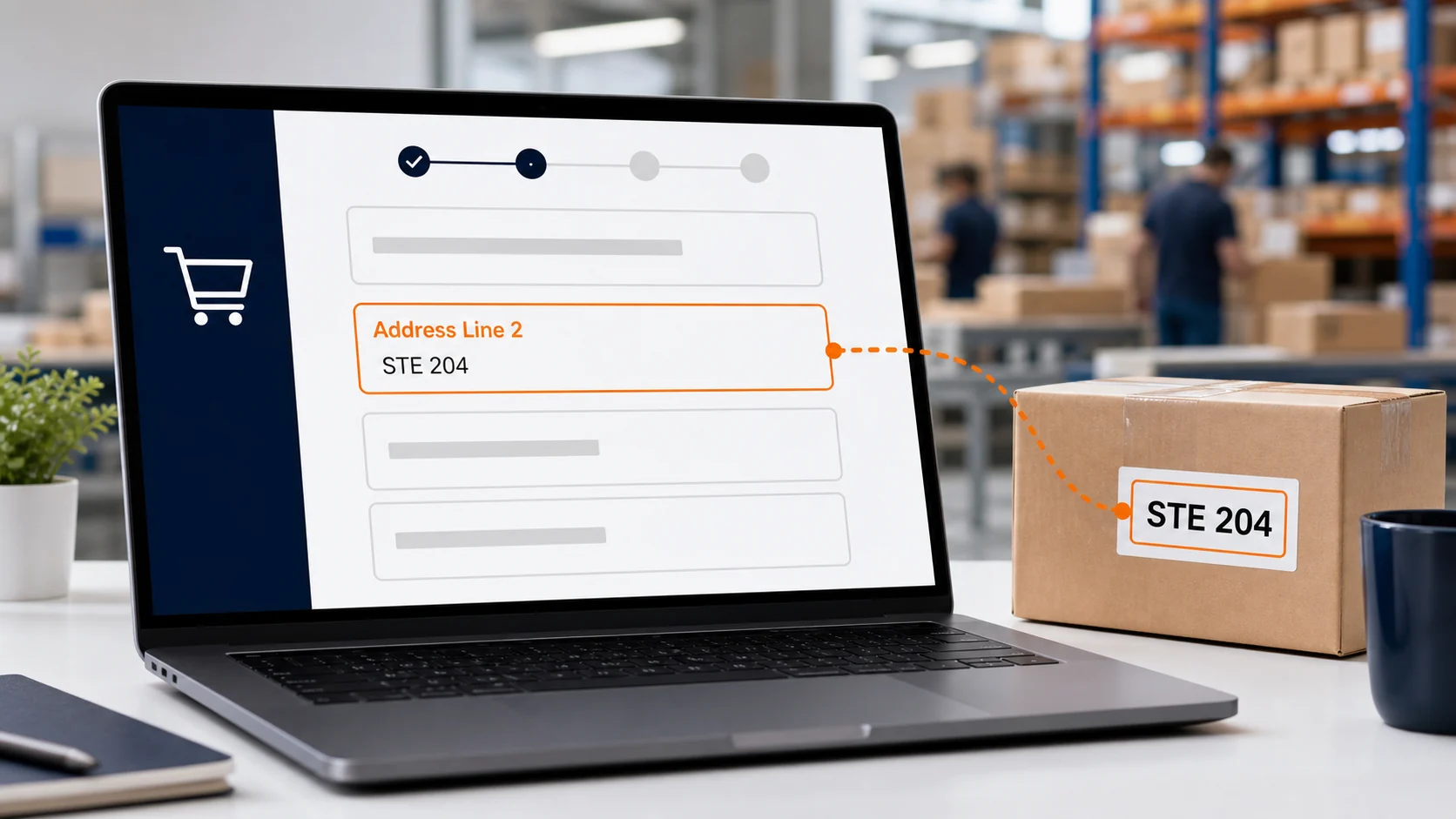
Address Line 2 is the part of a US shipping address used for secondary delivery information, such as an apartment, suite, unit, room or customer identifier. When you shop through a package forwarding service, the suite number can connect an incoming parcel to your account. Entering it correctly helps the warehouse identify your order and prepare it for international forwarding.
Quick answer: Put the warehouse street address in Address Line 1. Put your exact suite identifier in Address Line 2. Then enter the city, state and ZIP Code exactly as provided by ViajaBox. If the store has only one street field, add the suite after the street address on that same line.
What Address Line 2 means in a US address
Address Line 1 versus Address Line 2
Address Line 1 contains the primary delivery location. In most checkout forms, this means the building number and street name. Address Line 2 contains secondary address information that tells the carrier or receiving facility where the parcel belongs within that primary location.
The word address can refer to an email address, an internet address or a postal address. In this guide, address means the physical US shipping address entered during an online purchase.
When the second address line is required
Address Line 2 is often marked optional because a house may not have a secondary unit. It becomes necessary when the destination includes an apartment, suite, unit, department, floor or similar identifier. For a forwarding warehouse, your assigned suite may be essential even when the store labels the field optional.
USPS terms for apartments, suites and units
The United States Postal Service recognizes secondary unit designators such as APT for apartment, STE for suite and UNIT for unit. USPS prefers this information at the end of the delivery address line. When there is not enough space, it may appear on the line immediately above the street address. See the official USPS secondary address standards and its approved unit abbreviations.
What a suite number means in package forwarding
The warehouse address and your suite have different roles
The street address directs the carrier to the forwarding warehouse. Your suite number then helps the warehouse associate the parcel with your customer account. Although both elements form the complete shipping address, they do different jobs and should not be combined carelessly.
ViajaBox provides registered customers with a US address for purchases delivered to its facility. Its package forwarding service receives, photographs and registers purchases before customers create their international shipments.
A forwarding suite is not an apartment
A suite can describe an office within a commercial building. In package forwarding, it can also function as a unique customer identifier at a receiving facility. This does not mean that the customer lives at the warehouse. A forwarding address is a delivery tool, not proof of US residence and not automatically a valid billing address.
What happens when the suite is missing
A carrier may still deliver a parcel to the correct building even if the suite is absent. The warehouse, however, may not be able to identify the owner automatically. That can delay registration and require manual research using the recipient name, tracking number, store and order confirmation.
How to enter a US address at checkout
Match each checkout field to the correct element
Copy every element from your ViajaBox account rather than typing from memory. Preserve the recipient format, street information, suite, city, state and ZIP Code. Do not translate city or state names, and do not replace the assigned suite with your room, apartment or local address abroad.
Checkout field | What to enter | Purpose |
|---|---|---|
Full name | The recipient format shown in your account | Supports customer and parcel identification |
Address Line 1 | The warehouse building number and street | Directs the carrier to the physical facility |
Address Line 2 | Your exact suite identifier | Connects the package to your account |
City | The city provided with the US address | Identifies the postal locality |
State | The supplied two letter state code | Identifies the US state |
ZIP Code | The ZIP Code shown in your account | Supports sorting and final delivery |
Recognize different labels for Address Line 2
Stores use labels such as Apartment, Suite, Unit, Apt or optional address information. These labels usually request the same category of secondary delivery data. Enter the designator and identifier in the form supplied by ViajaBox instead of guessing which abbreviation the retailer prefers.
When the form offers only one address line
Place the suite after the street address in the same field, separated by a space. Keep the designator with its number. If the field has a strict character limit, preserve the street number, street name and suite identifier before removing nonessential punctuation.
Billing address versus shipping address
The shipping address tells the store where to send the order
Your ViajaBox address belongs in the shipping section because that is where the American retailer will deliver the purchase. The billing address serves a different purpose. It normally identifies the address associated with the card or payment account.
Why copying the suite into billing can cause rejection
Some payment processors compare billing details with information held by the card issuer. Entering a forwarding warehouse as the billing address can fail that verification when it does not match the card account. Use your actual billing details unless the store or payment provider gives different instructions.
What to do when a store rejects an international payment
First review the billing address, card authorization and retailer policy. Repeating the same payment attempt may trigger additional fraud controls. If the store does not accept your payment method, learn how ViajaBox assisted purchase works instead of changing address data inaccurately.
How to handle store validation and form problems
Review suggestions from address autocomplete
A checkout may standardize the street name or ZIP Code. Compare every suggested version with the address in your ViajaBox account before accepting it. An automated correction that removes the suite can make the address look cleaner while removing the element the warehouse needs for parcel matching.
Check the saved address before placing the order
Retailers sometimes rearrange fields after validation. Open the final order summary and confirm that the suite remains visible. Check the order again in your account after payment because the confirmation page is the best evidence of the shipping details sent to the merchant.
Correct mistakes before the parcel ships
If the suite is wrong or missing, contact the retailer immediately. A store may be able to update the shipping address before fulfillment, but carriers often restrict changes after acceptance. If correction is no longer possible, keep the tracking number and notify the receiving service with complete order details.
What happens after the store ships your purchase
Track delivery to the US warehouse
The retailer or carrier should provide a tracking number. Follow it until delivery, but remember that a carrier status and a warehouse account status measure different events. Delivered means the carrier recorded delivery at the destination. Account registration happens after the facility receives and processes the parcel.
Review the package in your forwarding account
ViajaBox states that received items are photographed, weighed and registered. Customers can gather purchases from multiple stores and consolidate them into one box. Read more about how package forwarding from the USA works and compare the benefits of ViajaBox.
Plan the international shipment
Once the items appear in your account, select what you want to send, review available services and complete the customs declaration accurately. Use the shipping calculator to estimate transportation and the import calculator to plan possible import costs. Final charges and customs treatment depend on the parcel, service and destination.
Frequently Asked Questions
What should I put in Address Line 2 for a US address?
Enter the apartment, suite, unit or other secondary delivery identifier supplied with the address. For a package forwarding address, copy the suite identifier exactly as your provider displays it.
Is a suite number the same as an apartment number?
Both are secondary address elements, but they describe different delivery locations. APT normally identifies an apartment, while STE normally identifies a suite or a customer location within a commercial receiving address.
What happens if I forget my suite number on an order?
The warehouse may receive the parcel but be unable to associate it with your account automatically. Contact the forwarding provider promptly and send the carrier, tracking number, store and order details.
Can I put the suite number on Address Line 1?
Yes. When a checkout offers only one street address field, place the suite after the street address on the same line. If Address Line 2 is available, use it unless your forwarding provider gives different instructions.
Address formats and retailer validation rules can change. Always follow the exact address currently displayed in your ViajaBox account and the instructions shown by the store.